

Pricing
Log inSign up

AI Video Translator

AI Dubbing translates recorded video into speech in 13 target languages. Sign in, upload your file and listen to a free preview of up to 30 seconds.

Start with your media

Choose a file to upload. Processing starts only after you confirm in the workbench.

Start dubbing

Preview first. Review the quote before a full dub.

Interviews · Interviewer and guest

An accordion player’s story

Chinese (Simplified) → English

Source and license · CC BY 3.0

A Kazakh in China devoted his life to accordion by China News Service, CC BY 3.0, via Wikimedia Commons. Excerpt 00:30–01:30, trimmed and dubbed into English by AIDubbing.

Source and licenseCC BY 3.0

Let your recording speak another language

AI dubbing turns recorded speech into a translated voice track. Start with your video, listen to a free voice preview up to 30 seconds, subject to account preview limits, and review the quote before generating the full dub. Check the translation and pronunciation before you publish.

Chinese (Simplified) → English
Authorized source frame · zh-Hans → enSource and licenseCC BY 3.0Example source credits

File requirements and review notes

SettingSupported input or output
Video inputMP4, MOV or WebM; up to 200 MiB and 10 minutes
Optional voice cloningOne identified speaker, consent and at least 10 seconds of usable speech
Optional lip syncOne front-facing speaker; video longer than 1 second and up to 210 seconds
Subtitle filesSeparate source-language and translated SRT/VTT, not burned-in captions

Review names, pronunciation and meaning before publishing. Background separation, timing and voice similarity are not guaranteed. Upload only recordings, voices, music and images you own or have permission to use. This is recorded-file dubbing, not live interpretation. See pricing and the terms.

Work with your source

Choose a voice for the recording

Detected speakers receive stock voices; voices can repeat when the catalogue is exhausted. Optional cloning is limited to a single identified speaker with consent and enough usable sample speech. Speaker renaming and reassignment are not offered.
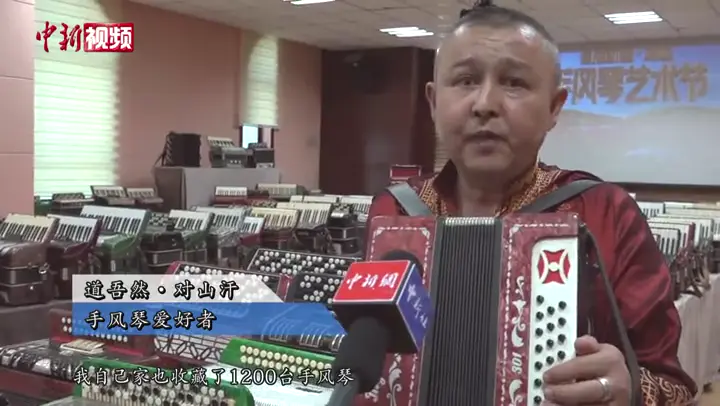
Chinese (Simplified) → English
Authorized source frame · zh-Hans → enSource and licenseCC BY 3.0Example source credits

Bring the background along

Speech is separated and the background mixed with translated speech. Sentence timing adapts to the source slots and following silence. Listen for separation artifacts and timing issues; exact alignment is not guaranteed.

Chinese (Simplified) → English
Authorized source frame · zh-Hans → enSource and licenseCC BY 3.0Example source credits

Refine the translation. Keep the files.

After full dubbing, read the source transcript beside the translation and edit translated sentences with a quote for each regeneration. Download mixed audio, voice-only audio and separate source/translated SRT and VTT; video output requires video input.

Chinese (Simplified) → English
Authorized source frame · zh-Hans → enSource and licenseCC BY 3.0Example source credits

Made for the work you already do

Content creators

Make it once.Dub the speech.Review the result.

Prepare another language version of your recorded video. Review names, pronunciation and meaning before sharing.

Course instructors

Keep the meaning.Check the wording.Share the lesson.

Translate recorded teaching or narration for another audience. Check specialist terminology and sentence timing.

Marketing teams

Adapt the message.Hear the translation.Publish with care.

Create a spoken language version of authorized content. Listen to the whole result before publication.

Interview producers

Keep the question.Translate the answer.Review the voices.

Review dialogue and detected-speaker voices against the original. Overlapping speech needs extra attention; speaker reassignment is not available.

From upload to a reviewed result

  1. Upload your recording

    Choose an authorized video, sign in and open the workspace. Uploading does not start generation.

  2. Preview, quote and generate

    Listen to the free voice preview up to 30 seconds, subject to account preview limits. Review the full quote, including lip sync if selected, then generate and check the dub.

  3. Review and export

    After full dubbing, edit translated sentences if needed and review each edit quote. Download the available audio, video and subtitle files.

Start with the file you already have

Bring a file you have permission to use. Review the quote before starting a paid run.

Frequently asked questions

Ready to work with your file?

Choose your file, sign in and continue in the workspace. You decide when processing starts.

Start dubbing